PngVec
A downloadable tool
Turn PNG art into clean, scalable SVG vectors — right on your desktop.
I make games, and for one of my projects — a browser game — I needed to turn a pile of PNGs into SVG vectors. So I went looking for a tool, tried the online image-to-vector converters... and really didn't like them. Uploading my art to some random website, waiting on it, getting no real say over the result, and hunting down a different site the next time. I just wanted a proper desktop app that does one thing well and lets me actually tweak the output. I couldn't find one I liked, so I built it. That's PngVec.
It's the tool I use myself: open a PNG (or drag it in), dial in the look with presets and sliders, and export a clean SVG — all offline, no uploads, no accounts.
Why a desktop app beats the online converters
- No uploads. Your art never leaves your PC — nothing gets sent to a server.
- Real control. Presets to start from, plus live sliders to fine-tune the trace — the thing the one-click web tools never let me do.
- Instant & offline. No queue, no internet needed. Convert as many as you like.
How it works
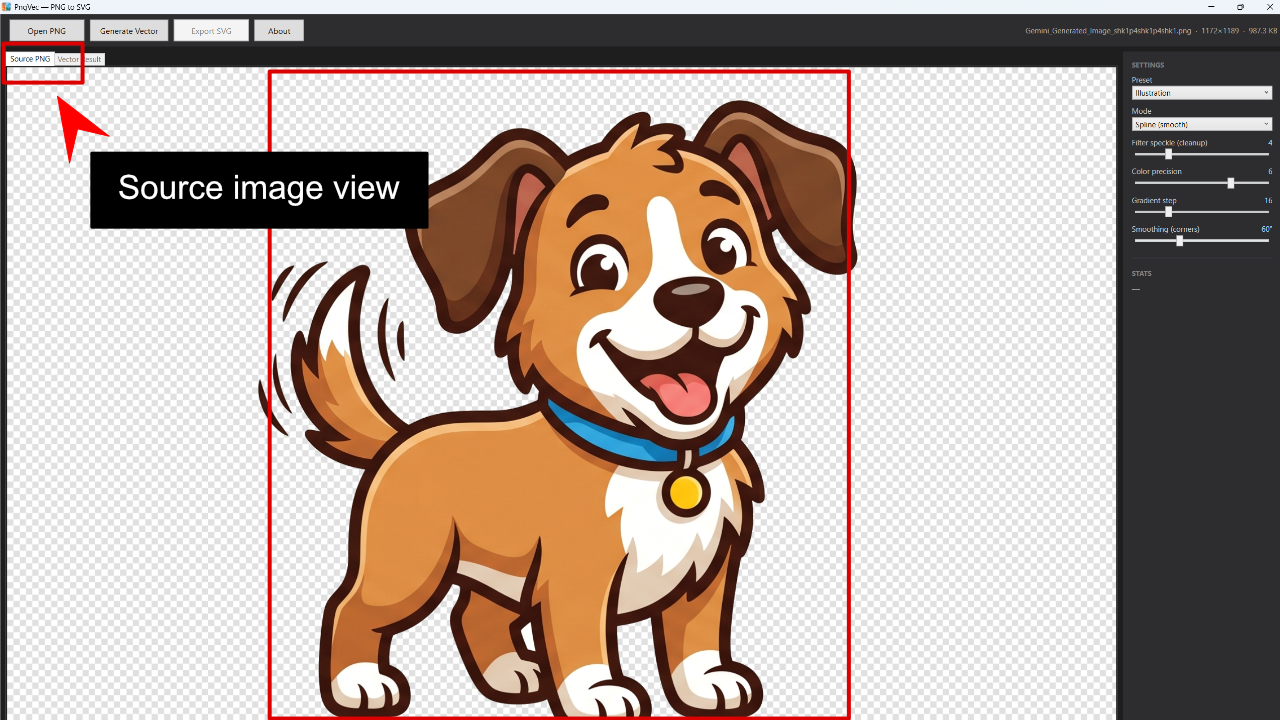
- Open a PNG — or just drag it onto the window.
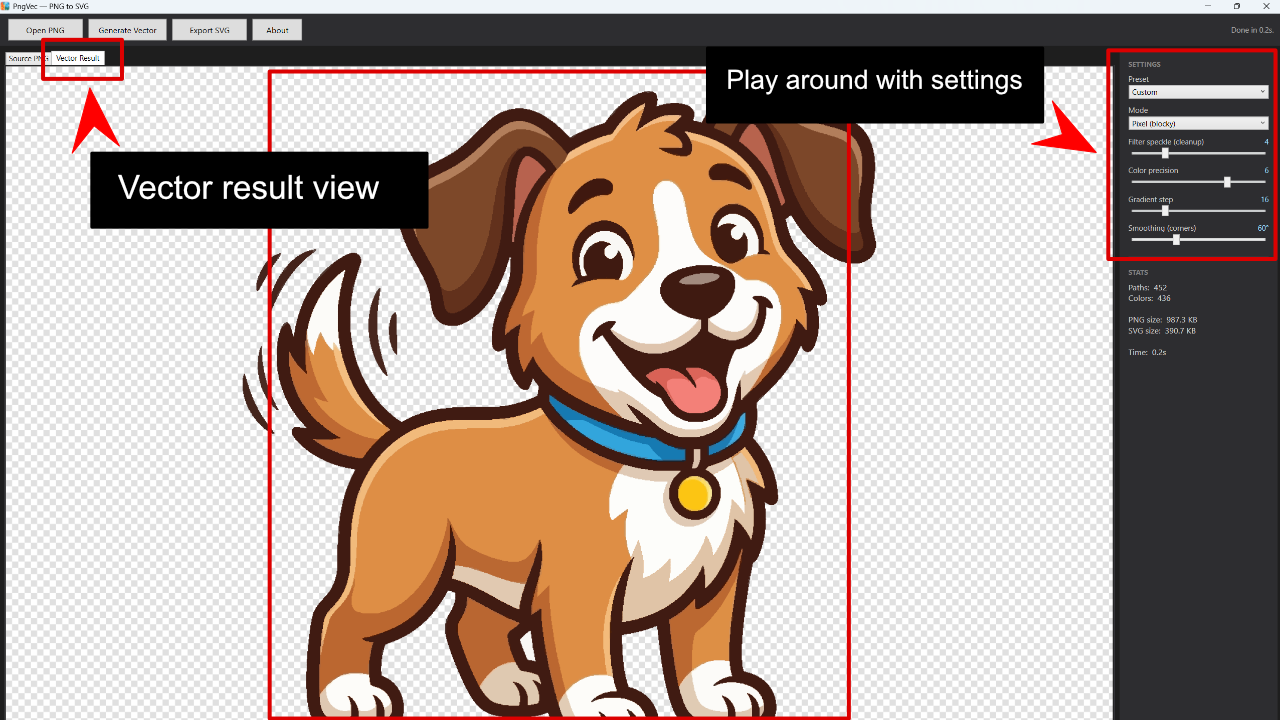
- Pick a preset, then play with the sliders until it looks right.
- Hit Generate and preview the vector result, with live stats.
- Export a clean
.svgand drop it into your project.
What you get
- One-click PNG → SVG vectorization
- 4 presets (Illustration, Smooth/Poster, Detailed, Line art) plus live tuning sliders
- Drag-and-drop a PNG to load it
- Transparent-background support
- Live preview with stats — path count, colors, file sizes
- Clean, standard SVG — opens in browsers, game engines, Illustrator, Inkscape, Affinity, Figma
- Self-contained — unzip and run, no installer, the runtime is bundled
Honest heads-up
PngVec is built for flat-color art — logos, clipart, icons, line art, and illustrations, including transparent backgrounds. It's not a photo-to-vector tool: photographs and heavily shaded images won't trace cleanly. That's just how vectorizing works, and I'd rather say it up front.
Good to know
- Runs on Windows 10 or 11 (64-bit)
- No account, no internet, nothing leaves your PC
- One-time $5 — no subscription, no catch
If you need PNGs turned into clean vectors and you'd rather have a real app than wrestle a website, give it a try. It's saved me a bunch of hassle on my own projects — maybe it does the same for you.
Made by lowendplay — a solo dev building tools for my own projects. lowendplay.com
Purchase
In order to download this tool you must purchase it at or above the minimum price of 5.00€ EUR. You will get access to the following files:
Development log
- PngVec is live - drop a PNG, get a clean SVG55 days ago
Leave a comment
Log in with itch.io to leave a comment.